Solar-Powered Security Cameras Without Power or Internet

A practical guide for construction sites, equipment yards, infrastructure projects, mines, oilfields, vacant properties, and remote commercial locations
A remote property does not become low-risk because utility power and wired internet are missing. In many cases, the absence of infrastructure makes the site easier to enter, harder to observe, and slower to respond to when something goes wrong.
Early-stage construction sites, highway corridors, equipment yards, mining operations, oil and gas locations, vacant redevelopment properties, and temporary laydown areas may hold fuel, copper, tools, vehicles, appliances, lumber, heavy equipment, and other assets long before permanent utilities are ready.
A properly designed solar-powered mobile surveillance trailer can bring its own power, cameras, connectivity, recording, and monitoring to the site. The important word is designed. Solar generation, battery reserve, communications, camera sightlines, and the response plan all have to match the property rather than relying on a generic camera package.
| Quick answer Security cameras can operate without existing site power or wired internet by using solar panels, battery storage, and either cellular or satellite connectivity. Live remote monitoring still requires a working communications path. If no cellular, satellite, or other uplink is available, a camera may record locally, but it cannot provide live viewing, operator verification, or real-time deterrence. |
| Site condition | Practical setup | Main point to verify |
|---|---|---|
| No utility power | Solar array with battery reserve | Shade, seasonal sunlight, weather, system load, and overnight autonomy |
| No wired internet, reliable cell signal | Managed LTE or 5G connection | Upload stability at the exact unit location and during monitoring hours |
| Weak or unavailable cellular service | Starlink-connected remote security | Service availability, clear view of the sky, mounting, power demand, and data plan |
| No usable live connection | Local recording only | Footage may be available later, but there is no live verification or active response |
| Changing site layout | Mobile trailer or portable pole-mounted unit | Sightlines, monitored zones, and escalation rules must be reviewed after relocation |
Can Security Cameras Work Without Internet?
Yes, but the phrase needs to be understood correctly. Cameras can work without an existing Wi-Fi network, fiber connection, or building internet service. For live video, remote access, cloud recording, and operator response, the system still needs another way to transmit data.
Cellular connectivity is often the simplest option when coverage is stable. Where cellular service is weak, satellite connectivity can provide the communications layer. Jobsite Sentry offers Starlink-connected remote security for locations where conventional internet or dependable cellular service is not available.
A record-only camera is different. It may continue storing footage on the device even when there is no uplink, but the site team will not receive a verified live response while the event is taking place. That distinction should be clear before equipment is selected.
Why No-Power, No-Internet Sites Are Harder to Protect
Most fixed camera systems assume that the property already has electricity, a network, a secure mounting point, and someone nearby who can respond. Remote and temporary sites often have none of those conditions.
- Permanent utilities may not be installed until later phases of the project.
- Gates, haul roads, material stacks, and equipment areas can move as work advances.
- Large open areas create long approach routes, blind spots, and multiple access points.
- Expensive assets may sit outdoors during nights, weekends, holidays, weather delays, or shutdowns.
- Weak communications can turn a live system into a record-only system without the site team realizing it.
- Incidents may not be discovered until the next shift, after equipment, fuel, copper, tools, or materials have already left the site.
The security plan therefore has to solve two problems at once: how to keep the system operating without site utilities, and how to turn detected activity into a timely, documented response.
How a Professional Off-Grid Camera System Works
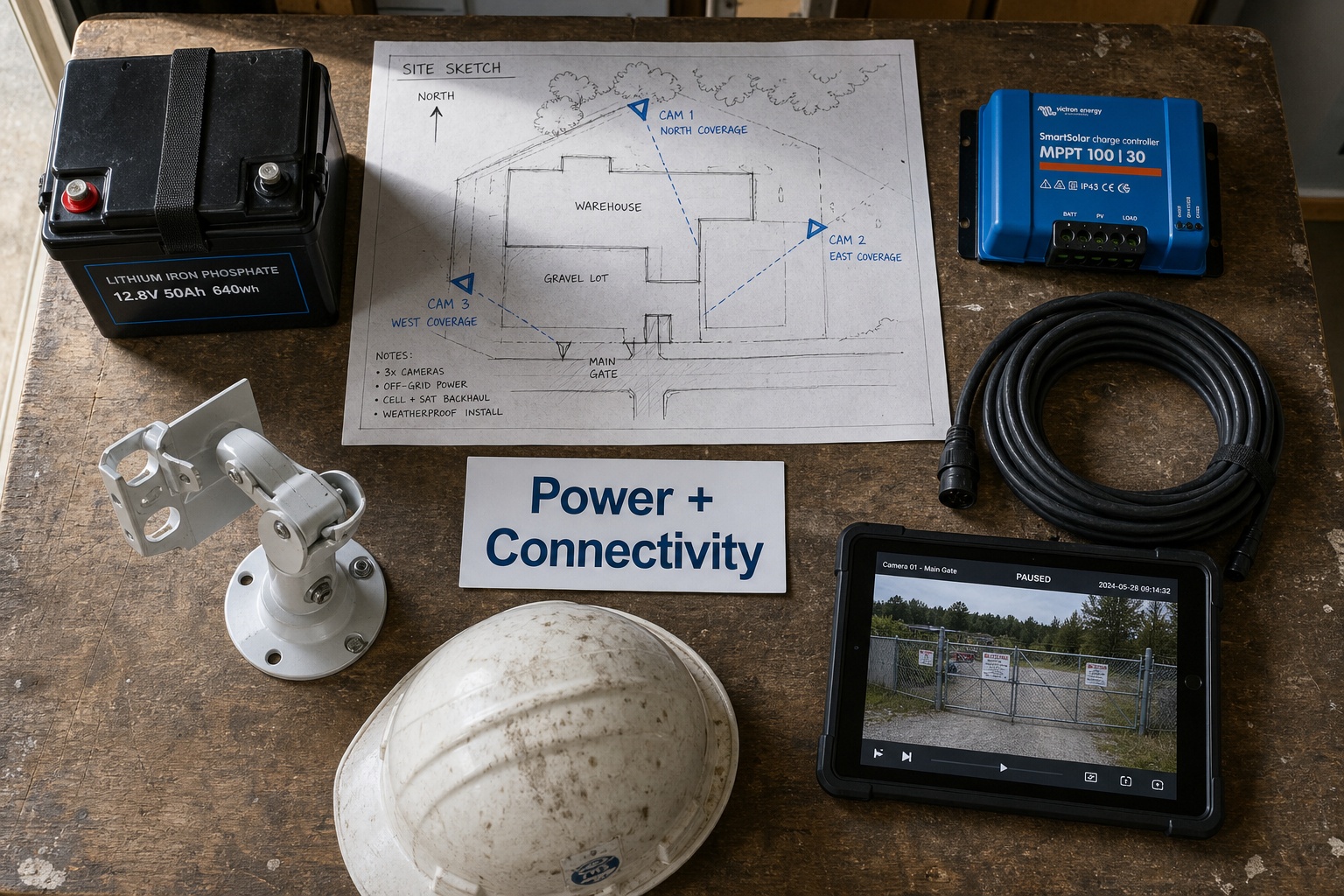
Solar power and battery reserve
Solar panels generate power during daylight hours. Batteries carry the cameras, communications equipment, lighting, speakers, and onboard electronics through the night and through periods of reduced sunlight.
A commercial system should be sized around actual load and local conditions. Panel area alone does not tell you whether a unit will remain reliable. The design should consider shade, panel orientation, seasonal daylight, dust, snow, temperature, camera count, lighting use, communications equipment, and the number of low-sun days the battery is expected to support.
The national PV planning tool listed in the references, the PVWatts Calculator, illustrates why solar estimates should be location-specific rather than based on a single national assumption. A security deployment still requires equipment-specific engineering and field verification.
Camera coverage and active deterrence
Professional systems may combine fixed cameras, panoramic views, and PTZ cameras. The goal is not simply to see a large area. The cameras should show where a person or vehicle came from, what they approached, and where they went next.
Where appropriate, speakers and two-way audio can support a live warning. Lighting can improve visibility and deterrence, but it should be positioned to avoid glare, deep shadows, or overexposure that makes the recorded image less useful.
AI detection and human verification
Outdoor environments create nuisance motion from wildlife, rain, dust, shadows, vegetation, headlights, and authorized work. AI can help filter activity, but a monitored system is strongest when alerts are reviewed by trained operators through remote video monitoring before warnings or escalation steps are taken.
This matters because the correct response to a scheduled delivery is not the same as the response to a vehicle entering a closed material yard at 2:00 a.m.
Connectivity Options When Wired Internet Is Unavailable
| Connection method | Best fit | Advantages | Limitations to check |
|---|---|---|---|
| Cellular LTE or 5G | Sites with stable carrier coverage | Fast deployment, compact equipment, practical for many urban and suburban projects | Signal strength, congestion, upload capacity, carrier coverage, and data use |
| Starlink satellite | Remote sites with weak or unavailable cellular service | Supports live connectivity beyond normal wired and cellular footprints | Clear-sky view, service availability, mounting, power load, weather exposure, and plan terms |
| Local recording only | Low-risk or fallback use where live connectivity is impossible | Can preserve footage without a live uplink | No live viewing, operator verification, audio intervention, or real-time escalation |
| Hybrid connection | High-risk sites that need redundancy | Can provide a primary and backup path depending on configuration | Added cost, integration, failover testing, and service complexity |
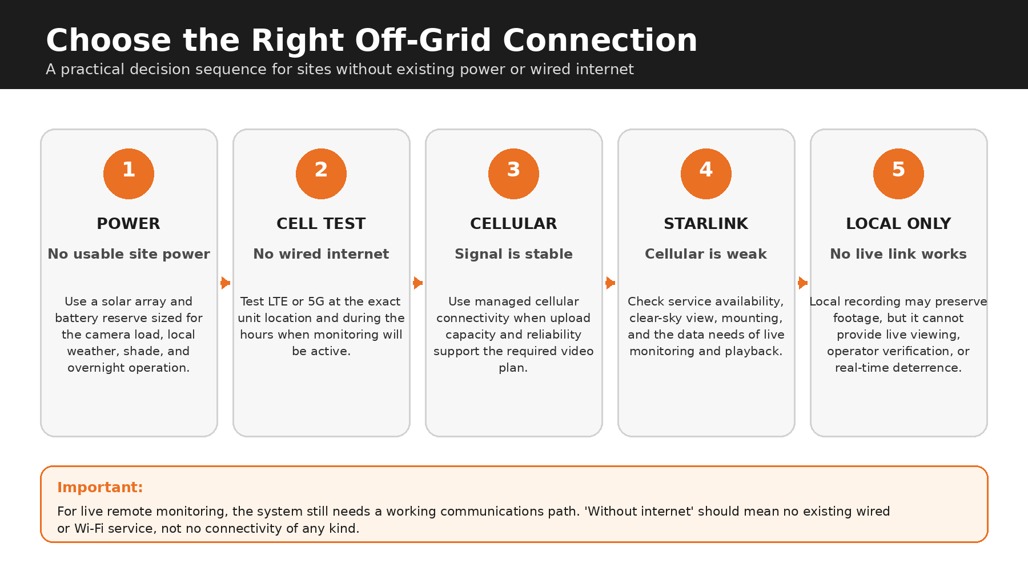
For U.S. projects, the FCC National Broadband Map can help with an initial coverage review, and the Starlink Availability Map can help identify service availability. Neither replaces testing at the proposed camera location. Terrain, structures, vegetation, carrier congestion, and the final mounting position can change real-world performance.
Commercial Off-Grid Systems Versus Consumer Solar Cameras
A consumer solar camera may be suitable for a shed, cabin, small gate, or low-risk residential use. A commercial site has a different operating problem. It may have multiple subcontractors, changing access, expensive equipment, insurance documentation needs, and incidents that require a response while they are still happening.
| Consideration | Consumer solar camera | Commercial monitored system |
|---|---|---|
| Primary use | Small personal property or a single low-risk view | Construction, industrial, infrastructure, remote assets, and multi-zone commercial sites |
| Power design | Small panel and battery matched to one device | System-level power planning for cameras, communications, audio, lighting, and weather reserve |
| Connectivity | Often Wi-Fi or a single cellular connection | Cellular, Starlink, or hybrid options selected after a site review |
| Alert handling | Notification sent to the owner or app user | AI filtering plus operator verification during scheduled monitoring hours |
| Response | Depends on whether the owner sees and acts on the alert | Audio warning, contact notification, documentation, and escalation under an approved protocol |
| Relocation and service | Usually self-installed and self-supported | Professional deployment, sightline review, repositioning, maintenance, and service support |
| Evidence and reporting | Basic clips or app history | Timestamped footage, clip export, incident notes, and structured follow-up |
Where Solar-Powered Cameras Without Existing Internet Make the Most Sense
The strongest candidates usually share three characteristics: valuable assets, limited human presence, and a meaningful delay before an incident would otherwise be discovered.
Construction and early-stage development
Power and internet may not be ready when grading, underground work, materials, and equipment arrive. A mobile unit can protect gates, trailers, fuel, equipment, and laydown areas, then move as the project changes. See Jobsite Sentry’s construction site security camera solutions for a construction-specific overview.
Highway and infrastructure corridors
Linear projects may shift over miles, with active work zones, equipment, fuel, and temporary storage moving along the route. Solar-powered units can be repositioned as the corridor advances. Review highway and infrastructure security for this type of deployment.
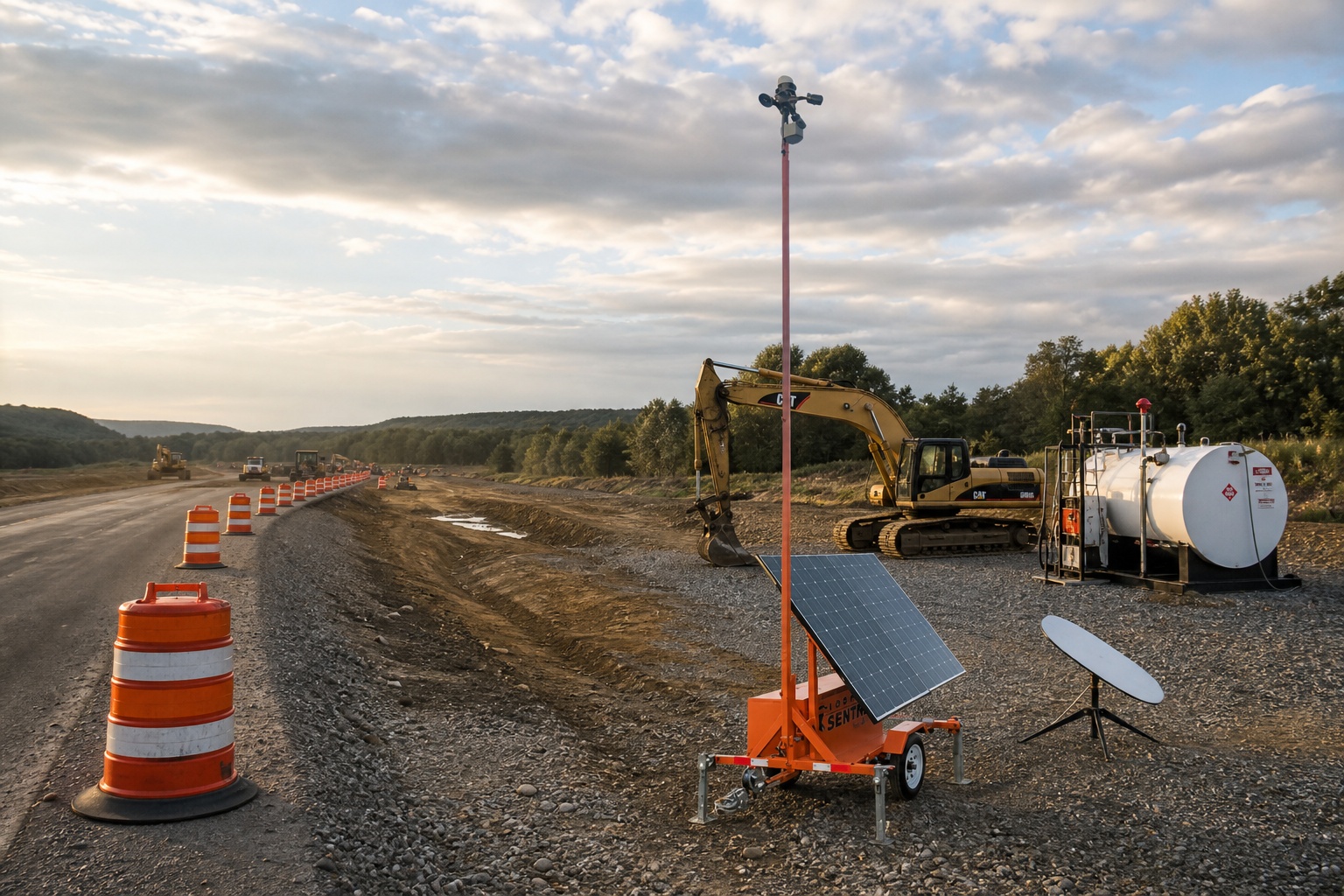
Mining, quarries, oilfields, and remote industrial sites
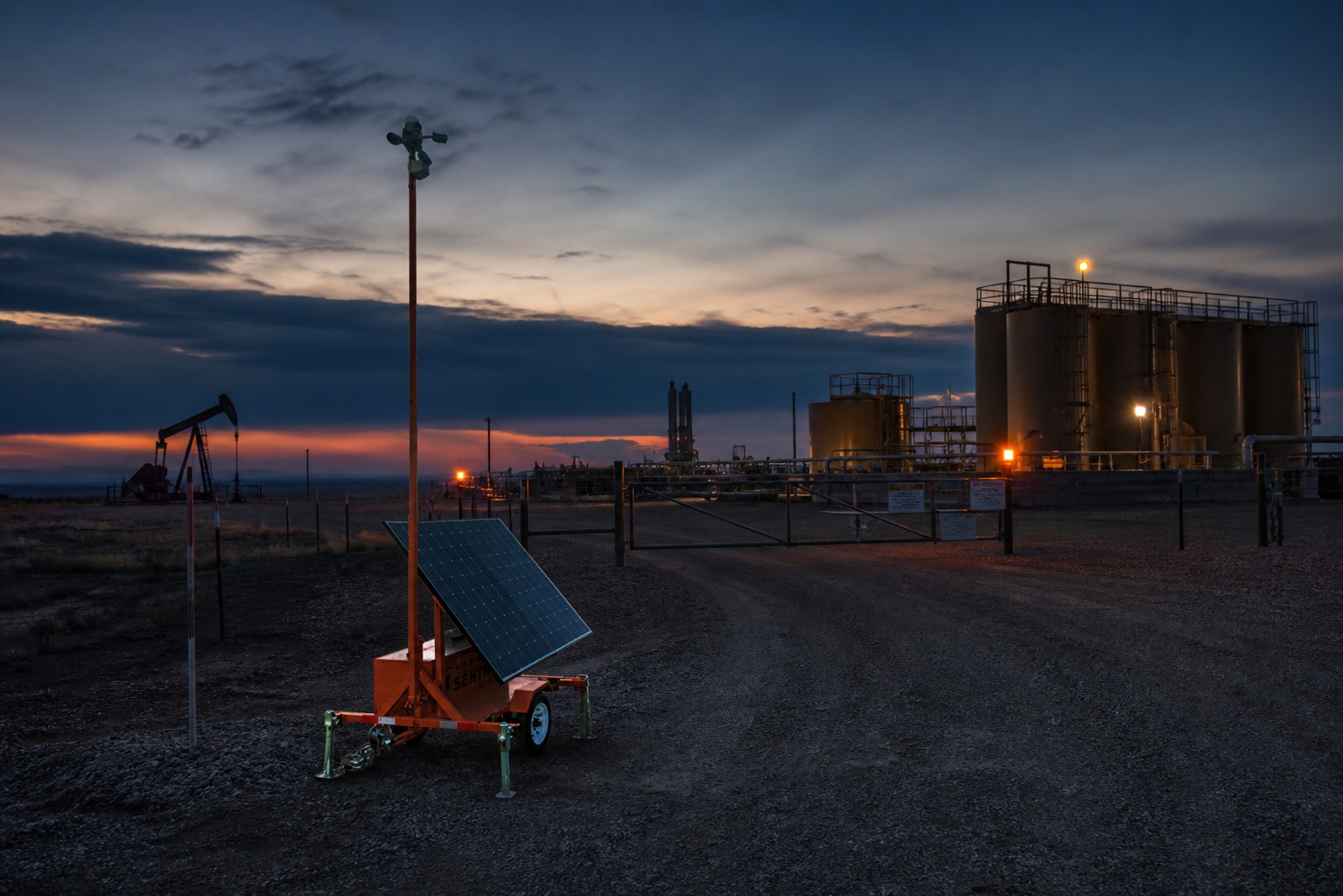
Distance and unreliable communications often create the main challenge. Access roads, processing areas, stockpiles, equipment, fuel, and remote facilities may need continuous visibility. Relevant Jobsite Sentry resources include mining site security cameras and oil and gas site security.
Equipment yards and outdoor storage
A yard may have power at the office but no practical way to extend it to gates, fence lines, fuel tanks, or remote material stacks. The guide to securing equipment yards and outdoor assets after hours explains how cameras fit into a broader plan that also includes fencing, lighting, access control, inventory, and incident procedures.
Vacant and transitional properties
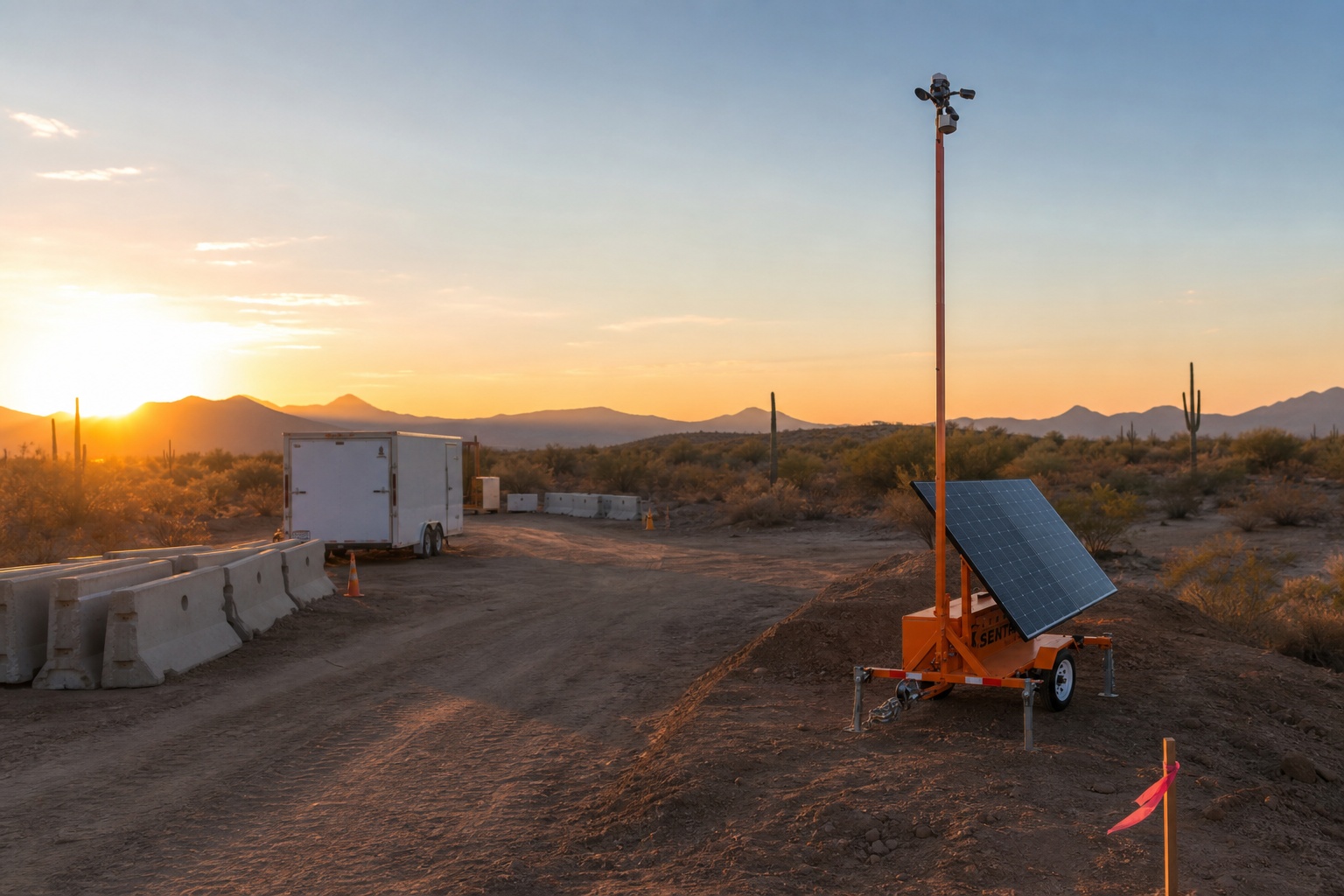
Vacant land, paused projects, redevelopment sites, and properties between tenants or phases may have little active infrastructure but continued exposure to trespassing, dumping, vandalism, copper theft, and fire risk. See when mobile surveillance trailers make sense for vacant properties and the detailed guide to vacant multifamily security during renovation or lease-up.
Plan Power Resilience, Not Just Solar Panel Size
One of the most common mistakes is treating a solar-powered camera as if the sun alone guarantees continuous service. Reliability comes from the full power budget and the maintenance plan.
- Solar exposure: Check shade from buildings, trees, equipment, terrain, and temporary structures throughout the day.
- Seasonal conditions: Design for shorter winter days, prolonged cloud cover, dust, snow, and the weather pattern at the specific location.
- Battery reserve: Confirm how long the system is designed to operate without meaningful solar input and what equipment is included in that calculation.
- Power demand: Cameras, PTZ movement, heaters, lighting, speakers, cellular or satellite hardware, and onboard processing all consume energy.
- Maintenance access: Panels may need cleaning, vegetation may need trimming, and the unit should remain accessible without creating a new security weakness.
- Low-power behavior: Ask what the system does when the battery reaches a low threshold. A controlled reduction in nonessential functions is different from an unexpected outage.
| Important The phrase ‘100% solar-powered’ describes the energy source, not a universal guarantee of uninterrupted service under every site condition. Confirm the design assumptions, battery autonomy, maintenance plan, and low-power response for the proposed deployment. |
Where Cameras Should Cover First
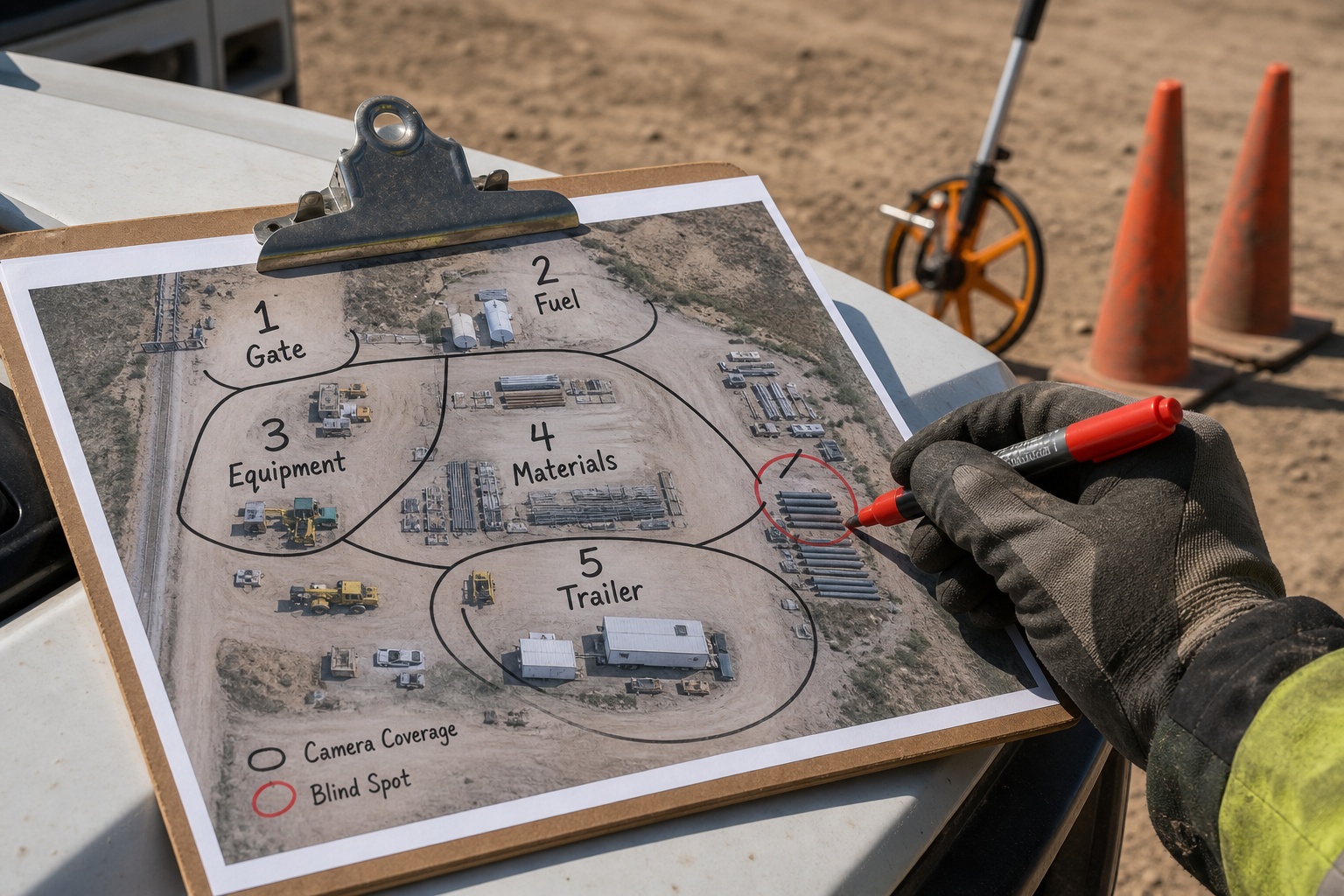
Camera placement should follow risk and response value, not the easiest parking position. Prioritize views that reveal an intrusion early, protect concentrated assets, or provide enough context for a trained operator to decide whether activity is authorized.
| Priority zone | Why it matters | Placement note |
|---|---|---|
| Primary entrances and exits | Shows vehicles and people arriving, leaving, and changing direction | Capture the approach and departure path, not only the gate line |
| Equipment and vehicle storage | Protects high-value machines, trailers, generators, lifts, and service vehicles | Include both the asset and the route a vehicle would use to remove it |
| Fuel and critical materials | Targets can create theft, environmental, fire, and project-delay exposure | Use tighter detection zones and clear escalation rules |
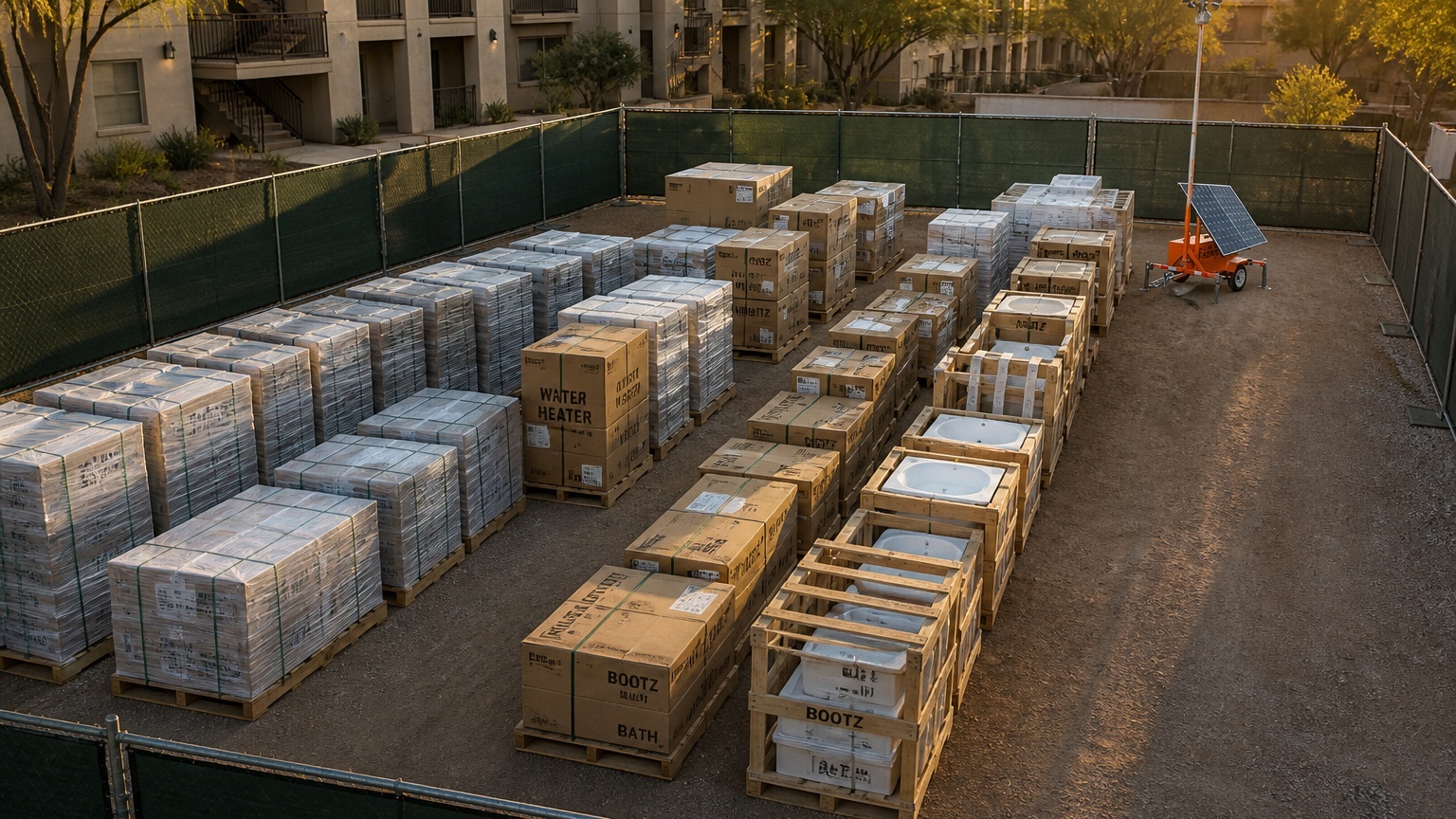
| Material laydown areas | Copper, wire, lumber, pipe, fixtures, appliances, and tools can be moved quickly | Avoid stacking that blocks the camera and reposition as deliveries change |
| Temporary offices and containers | These areas may hold keys, records, electronics, tools, and access devices | Cover doors, locks, nearby parking, and the surrounding approach |
| Fence gaps, drainage channels, and blind spots | Low-visibility routes are often easier to use after hours | Review at night and after grading, fencing, vegetation, or site layout changes |
What Happens When Suspicious Activity Is Detected?
A monitored camera system is only as useful as the response behind it. The goal is not to send every movement alert to a superintendent. The goal is to identify meaningful activity, verify it, and follow a response plan while the event is still developing.
- Detect. AI or analytics flag a person, vehicle, or movement inside a monitored zone during the approved monitoring schedule.
- Verify. A trained operator reviews the live scene, checks authorized work hours, and considers whether the activity matches a known vendor or exception.
- Deter. When appropriate, the operator issues a live audio warning before theft, entry, or damage progresses.
- Escalate. The operator follows the written protocol, which may include contacting site personnel or law enforcement based on the verified circumstances.
- Document. Relevant clips, timestamps, camera views, warnings, contacts, and incident notes are retained for follow-up and reporting.
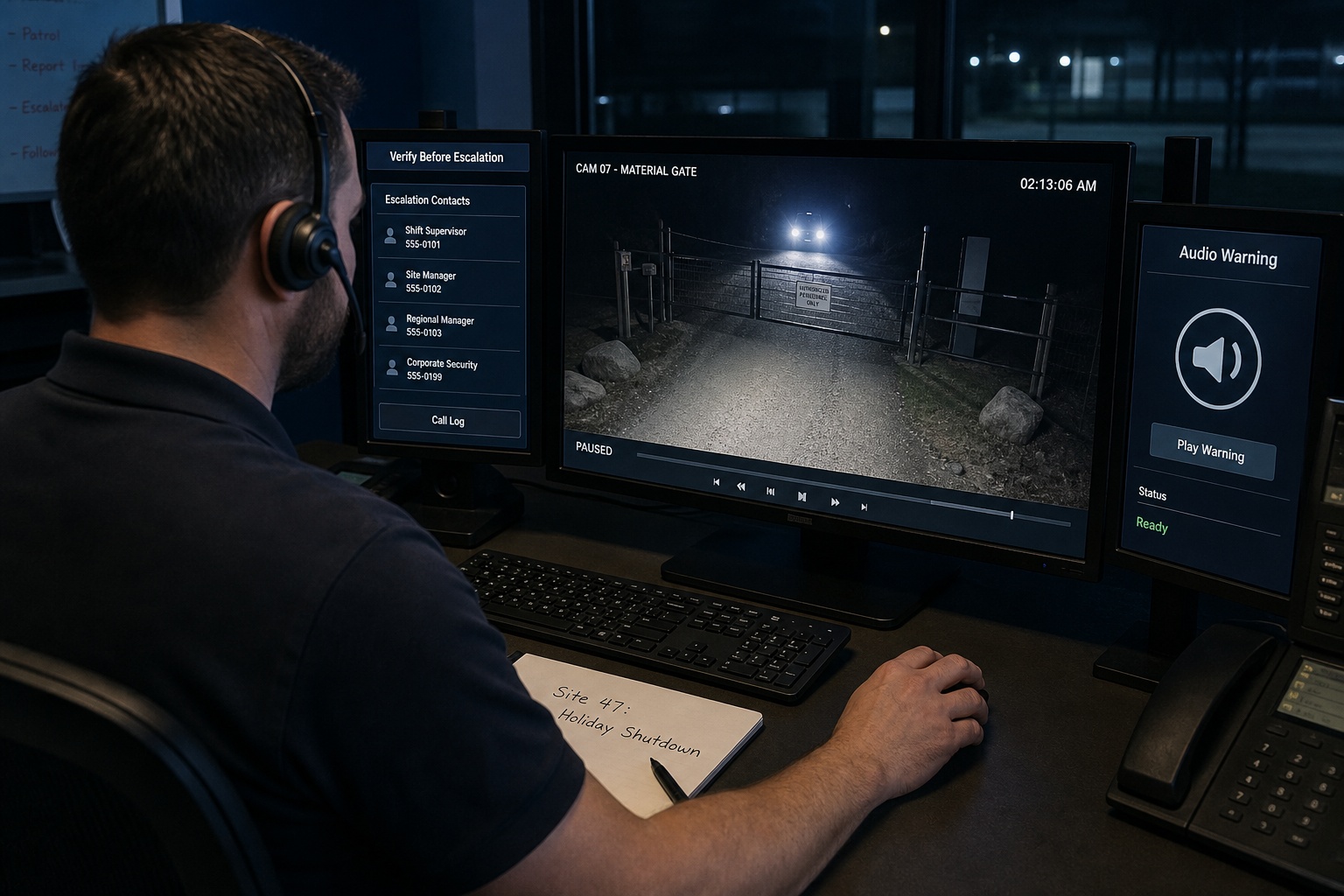
The site team should define the response rules before monitoring begins. For more detail on preserving useful footage and building an incident record, read what happens after a jobsite incident and why video evidence matters.
Give Site Teams Access Without Making Them Watch All Night
Owners, project managers, and superintendents may need live view, playback, PTZ control, audio, or clip export, but they should not have to operate a security desk. The Jobsite Command Center supports remote camera access for authorized users while scheduled monitoring remains with trained operators.
Remote access is most useful for practical decisions: confirming whether a delivery arrived, checking a gate condition, reviewing the sequence of an incident, documenting a disputed event, or understanding whether a new obstruction has created a blind spot.
Access permissions should be limited to the people who need them. The site should also define how long footage is retained, who may export clips, where incident records are stored, and how requests from police, insurers, owners, or legal teams will be handled.
The National Institute of Justice treats digital and multimedia evidence as information that may be relied on in investigations and court. That is a useful reminder to preserve original clips, timestamps, and context rather than relying only on a phone recording of a monitor.
How Fast Can a Solar-Powered Camera Trailer Be Deployed?
Deployment timing depends on the property location, access, equipment availability, system configuration, communications, and site conditions. Jobsite Sentry commonly states that mobile surveillance units can be deployed and activated within 24 to 48 hours, subject to those variables.
| Timing | What should happen |
|---|---|
| Initial call or same day | Share the address or GPS location, site map, work schedule, known incidents, power and connectivity limits, and the assets that matter most. |
| Site review | Confirm entrances, approach routes, high-value zones, blind spots, solar exposure, cellular performance, Starlink feasibility, and safe equipment placement. |
| Configuration | Set monitoring hours, authorized activity, audio-warning rules, escalation contacts, clip access, retention, and incident reporting requirements. |
| Deployment and testing | Position the unit, confirm camera views, test live and recorded video, verify audio, test alerts and contacts, and document the approved zones. |
| First operational review | Review the first night or first off-hours period, adjust nuisance detections, and confirm that site changes have not blocked the view. |
A fast installation is useful only when the system is tested. The first review should confirm that the camera sees the intended approach path, the connection remains stable, alerts reach the right people, and the operator instructions match the actual site schedule.
How Much Do Solar-Powered Security Cameras Without Existing Internet Cost?
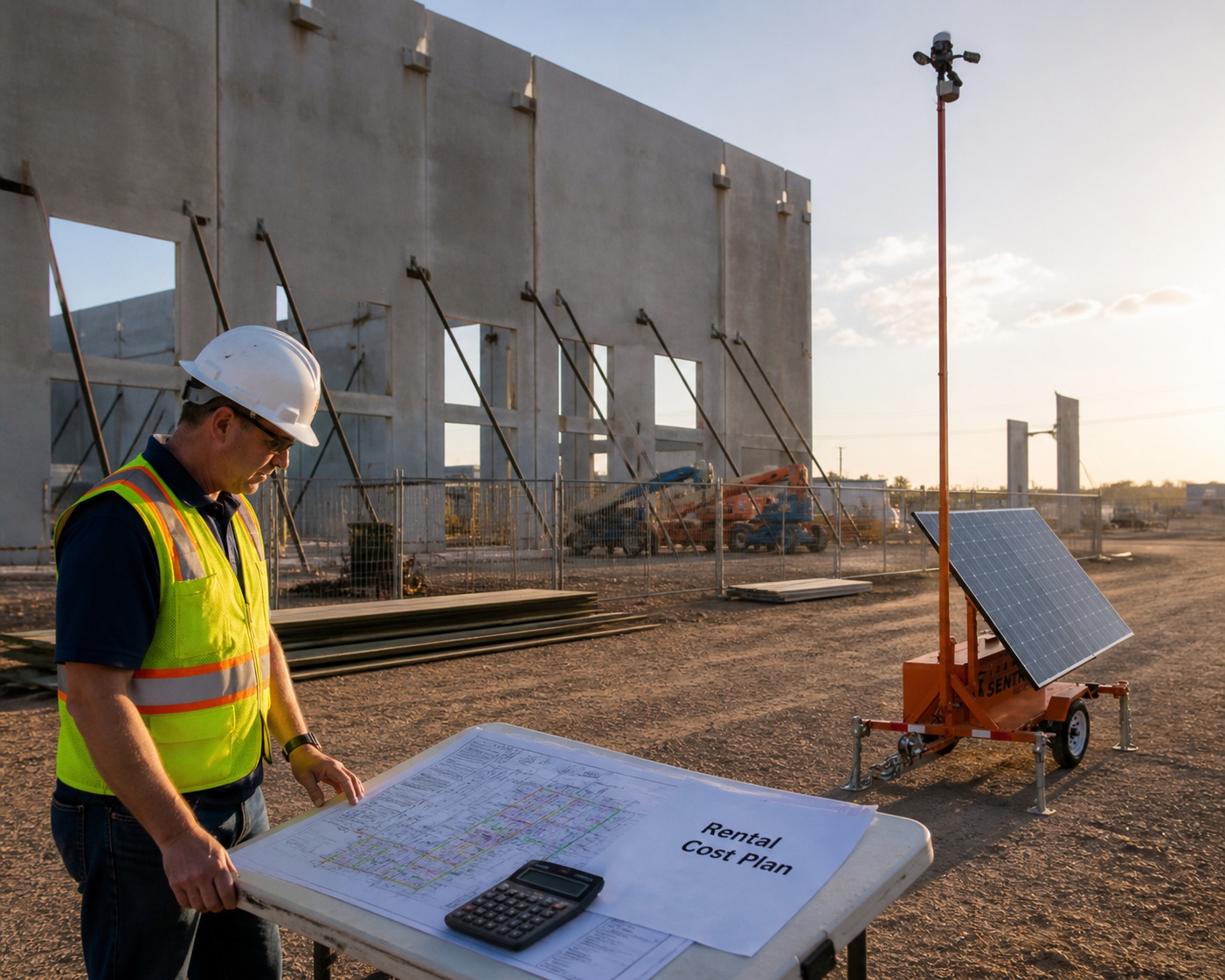
Pricing depends on the number of units and cameras, monitoring hours, connectivity, location, deployment complexity, service duration, relocation needs, data requirements, and whether satellite service is required.
Jobsite Sentry advertises live video monitoring from $1.99 per hour and promotes transparent pricing without long-term contracts. A site-specific quote is still necessary because a single-gate project and a multi-zone industrial site do not require the same equipment or monitoring plan.
When comparing providers, ask for the full operating cost rather than a camera-only figure:
- Monthly rental or managed service cost
- Monitoring hours and number of camera feeds included
- Delivery, setup, installation, and removal charges
- Cellular data or Starlink service fees
- Relocation and reconfiguration charges
- App access, user limits, storage, playback, and clip export
- Maintenance response and replacement equipment
- Minimum term, cancellation terms, and any automatic renewal
- Audio warning, contact notification, and law-enforcement escalation procedures
For a site-specific review, use the Jobsite Sentry contact page rather than a general advertising landing page.
Common Off-Grid Camera Mistakes
| Mistake | Why it causes problems | Better approach |
|---|---|---|
| Assuming solar means unlimited power | Shade, weather, seasonal sunlight, and equipment load can reduce available energy | Confirm the full power budget, battery autonomy, maintenance plan, and low-power behavior |
| Using a coverage map instead of field testing | Published coverage does not show every obstruction, congestion issue, or exact mounting condition | Test cellular and satellite conditions at the proposed position before finalizing the plan |
| Parking the unit where it is convenient | The easiest parking spot may miss the gate approach, removal route, or asset area | Place cameras around threat routes and response value, then confirm the view at night |
| Sending every alert to one manager | Repeated nuisance alerts create fatigue and missed events | Use AI filtering, operator verification, approved schedules, and clear exceptions |
| Leaving the response plan vague | Operators cannot know which contractor, vehicle, or activity is authorized | Document working hours, vendor exceptions, primary and backup contacts, and escalation thresholds |
| Failing to review changes | Grading, trailers, containers, materials, fencing, and vegetation can create new blind spots | Recheck sightlines, zones, and response rules after every meaningful site change |
| Choosing a consumer camera for a commercial risk | A phone alert and local clip may not meet the need for live response, service, or documentation | Match the system and monitoring model to the value, exposure, and consequences of a missed incident |
A Practical 24-Hour Site Readiness Checklist
Use this list before a deployment, after a theft or trespassing incident, or whenever a remote project enters a new phase.
- Site map prepared. Entrances, exits, haul roads, neighboring access, equipment, fuel, materials, offices, containers, and blind spots are marked.
- Risk window defined. Work hours, nights, weekends, holidays, shutdowns, and authorized exceptions are documented.
- Power conditions reviewed. Solar exposure, shade, seasonal weather, battery reserve, and maintenance access have been checked.
- Connectivity tested. Cellular performance has been tested at the unit location, and Starlink feasibility has been checked where needed.
- Camera views confirmed. Approach routes, protected assets, and likely removal paths are visible without avoidable glare or obstruction.
- Response protocol approved. Audio warnings, contact sequence, law-enforcement escalation, and emergency exceptions are written down.
- Authorized activity listed. Vendors, vehicles, delivery windows, and temporary work schedules are current.
- Evidence process defined. Retention, clip export, incident notes, and access permissions are understood.
- First review scheduled. The system will be checked after the first night or off-hours period and after any relocation.
People Also Ask
Can security cameras work without internet?
Yes. Cameras can work without existing wired internet or Wi-Fi by using cellular or satellite connectivity. If there is no communications path at all, they may record locally, but live viewing, operator verification, cloud access, and real-time deterrence will not be available.
Do solar-powered security cameras need Wi-Fi?
No. Wi-Fi is only one connection method. Commercial off-grid systems may use LTE, 5G, Starlink, or another managed link, depending on the site and the monitoring requirements.
How do you secure a construction site with no power?
Use layered controls: secure gates and openings, centralize high-value materials, improve lighting where practical, document authorized access, and deploy a solar-powered camera system with battery reserve and a suitable cellular or satellite connection. Camera coverage should focus on entrances, equipment, fuel, materials, trailers, and blind spots.
Can remote cameras work with no cell service?
Yes, when satellite connectivity is available and properly configured. Starlink can support live remote monitoring at locations where cellular service is weak or unavailable, subject to local availability, clear-sky view, power, mounting, and the selected service plan.
What happens when a monitored camera detects someone after hours?
The alert is reviewed by a trained operator. If the activity appears unauthorized, the operator follows the approved protocol, which may include an audio warning, contact notification, documentation, or law-enforcement escalation. The exact action depends on the verified circumstances and the customer’s instructions.
| Request a Free Jobsite Sentry Site Review Share the site location, map, schedule, assets, known incidents, power limits, cellular conditions, and required monitoring hours. Jobsite Sentry can review priority coverage zones and recommend a practical deployment plan. |
| REQUEST A FREE SITE REVIEW |
Frequently Asked Questions
Can monitoring hours be customized?
Yes. Monitoring can be scheduled around nights, weekends, holidays, shutdowns, or other risk windows. Some sites need continuous coverage, while others need monitoring only outside approved work hours.
Can footage be exported for police or insurance use?
Supported systems can provide playback and clip export for authorized users. Preserve the original clip, timestamp, camera view, and incident context, and confirm any jurisdiction-specific evidence request with the relevant agency.
Can AI reduce false alarms from wildlife and weather?
AI can help distinguish people and vehicles from nuisance motion, but no filter is perfect. Human verification, properly drawn detection zones, schedules, and periodic tuning remain important.
Are mobile surveillance trailers better than security guards?
They solve different problems. A guard can control access, patrol interiors, and physically interact with the site. A mobile unit can provide elevated, recorded, multi-zone coverage with remote monitoring. High-risk projects may use both.
Can the same unit be moved during the project?
Often, yes. Mobile units can be repositioned as gates, materials, equipment, or work areas move. Camera sightlines, detection zones, connectivity, and response instructions should be retested after each relocation.
What happens during several cloudy days?
The battery reserve is intended to carry the system through periods without useful solar input. The expected autonomy depends on the equipment, load, battery capacity, weather, temperature, and site conditions. Ask for the design assumption and low-power response.
Does Starlink work everywhere in the United States?
Availability and service conditions vary. The site should be checked on the current Starlink map and reviewed for a clear view of the sky, appropriate mounting, local obstructions, and the data needs of the monitoring plan.
How many cameras does a remote site need?
There is no reliable answer based only on acreage. Camera count depends on entrances, terrain, structures, asset concentration, approach routes, blind spots, required detail, and whether one view can verify activity rather than merely detect movement.
Can a solar camera monitor progress as well as security?
Depending on the system, authorized users may use live view, playback, snapshots, or time-lapse for project visibility. Security monitoring rules and access permissions should remain separate from general progress review.
What should be reviewed after an incident?
Review the entry and exit route, camera quality, connection performance, response timeline, warning or notification actions, blind spots, access-control failure, and any needed changes to lighting, fencing, storage, schedules, or monitored zones.
Conclusion: Bring the Infrastructure With the Security System
A remote site does not need to wait for utility power, wired internet, or a finished building before it can be monitored. Solar generation, battery storage, cellular or satellite connectivity, cameras, AI detection, and live operators can create a practical security layer in places where fixed systems are not ready or not economical.
The strongest deployment is not the one with the largest panel or the longest equipment list. It is the one that has enough power reserve, a tested communications path, useful camera views, a written response protocol, and a plan to adapt as the site changes.
Jobsite Sentry supports construction, industrial, mining, oil and gas, infrastructure, multifamily, equipment yard, vacant property, and other remote outdoor deployments with solar-powered camera units, mobile surveillance trailers, Starlink connectivity, remote access, and live monitoring. Use the contact page to request a site review based on the actual property rather than a generic package.
Related Jobsite Sentry Resources
- Mobile surveillance trailer rental
- Starlink remote security for sites without cellular coverage
- Remote video monitoring for construction sites
- Construction site security cameras
- Highway and infrastructure security cameras
- Mining site security cameras
- Oil and gas site security
- How to secure equipment yards and outdoor assets after hours
- What happens after a jobsite incident and why video evidence matters
- Jobsite Command Center camera access
Source References
- Jobsite Sentry: Mobile Surveillance Trailers
- Jobsite Sentry: Starlink Remote Security
- Jobsite Sentry: Remote Video Monitoring
- Jobsite Sentry: Jobsite Command Center
- CISA: Security Planning Workbook
- FCC: National Broadband Map
- Starlink: Availability Map
- PVWatts Calculator: Location-Specific Solar Resource and Production Estimates
- U.S. Fire Administration: Preventing Arson at Construction Sites
- National Institute of Justice: Digital and Multimedia Evidence