Temporary Security Cameras for Apartment Lease-Up

A practical placement guide for new apartment communities, phased occupancy, model unit tours, amenity openings, deliveries, and move-in days.
Lease-up is one of the most exposed stages in a multifamily property’s life cycle. The community is no longer just a construction site, but it is not yet a fully stabilized residential property. Leasing teams are hosting prospects, model units are staged, residents may be moving in by phase, contractors are still finishing punch work, and valuable materials may still be on site.
That transition creates a placement challenge. Permanent cameras may not be active yet. Access control may be incomplete. Internet service may be inconsistent. Gates, garages, amenities, and package areas may open at different times. The right temporary security cameras for apartment lease-up need to protect the property as it changes, not just record what happened after something goes wrong.
This guide explains where to place cameras during lease-up, how to prioritize coverage by risk, and how Jobsite Sentry can help leasing teams, developers, and property managers bridge the gap between construction security and stabilized operations.
| Quick answer Temporary security cameras for apartment lease-up should be placed where people, vehicles, packages, contractors, residents, and risk move through the property. Start with main entrances, leasing office and model routes, package and delivery staging, move-in loading zones, amenities, contractor gates, staging areas, parking, garages, and phase boundaries. Review placement again after every building turnover, amenity opening, move-in weekend, or construction access change. |
| Lease-up condition | Priority camera focus | Main point to verify |
| Leasing office opening soon | Visitor parking, leasing entrance, model unit path | Coverage should support prospect flow without creating privacy issues. |
| First residents moving in | Move-in loading zones, elevators, occupied building entries | Cameras should document access, damage disputes, and after-hours movement. |
| Amenities opening by phase | Pool gates, fitness doors, clubhouse and equipment rooms | Views should show approaches and entry points, not private interiors. |
| Package room not fully active | Temporary delivery drop, mail kiosk, package room door | Cover the handoff point and the access route. |
| Construction still active | Contractor gate, phase boundary, material and appliance staging | Separate authorized work from after-hours intrusion. |
Why Apartment Lease-Up Requires a Different Camera Plan
A stabilized apartment community has predictable routines. Residents use the same gates, park in known areas, pick up packages from established systems, and report maintenance through normal channels.
Lease-up does not work that way. One building may be occupied while the next is still under construction. The leasing office may be open while permanent access control is being tested. Model units may contain furniture, electronics, appliances, and decor before nearby units have normal resident traffic.
Temporary cameras need to support three priorities at once: resident and prospect experience, asset protection, and after-hours incident prevention. The common mistake is placing cameras only where they are easy to install. The better approach is placing them where access, movement, and risk intersect.
Lease-up risk is concentrated around transitions
Risk usually increases where a property changes from public to private, construction to occupancy, or unfinished to finished. Examples include the entrance from the street, the path from leasing parking to the model unit, the edge between occupied and unoccupied buildings, and the area where contractors still access the property after residents begin moving in.
Temporary coverage should support the permanent plan
Temporary cameras are not only a substitute until permanent systems are ready. They can help validate sight lines, identify blind spots, and document activity patterns before final camera, lighting, access control, and patrol decisions are locked in.
Start With Movement: Entrances, Routes, and Decision Points
Before choosing a camera position, map how people and vehicles will move through the community during the next 30 to 90 days. A camera looking at a polished building elevation may not help if the real issue is an unobserved contractor gate, a package staging door, or an after-hours shortcut behind the clubhouse.
For lease-up planning, the most useful views often include decision points. These are places where a person chooses where to go next, where a vehicle enters or turns, or where someone can move from a public-facing area into a controlled area.
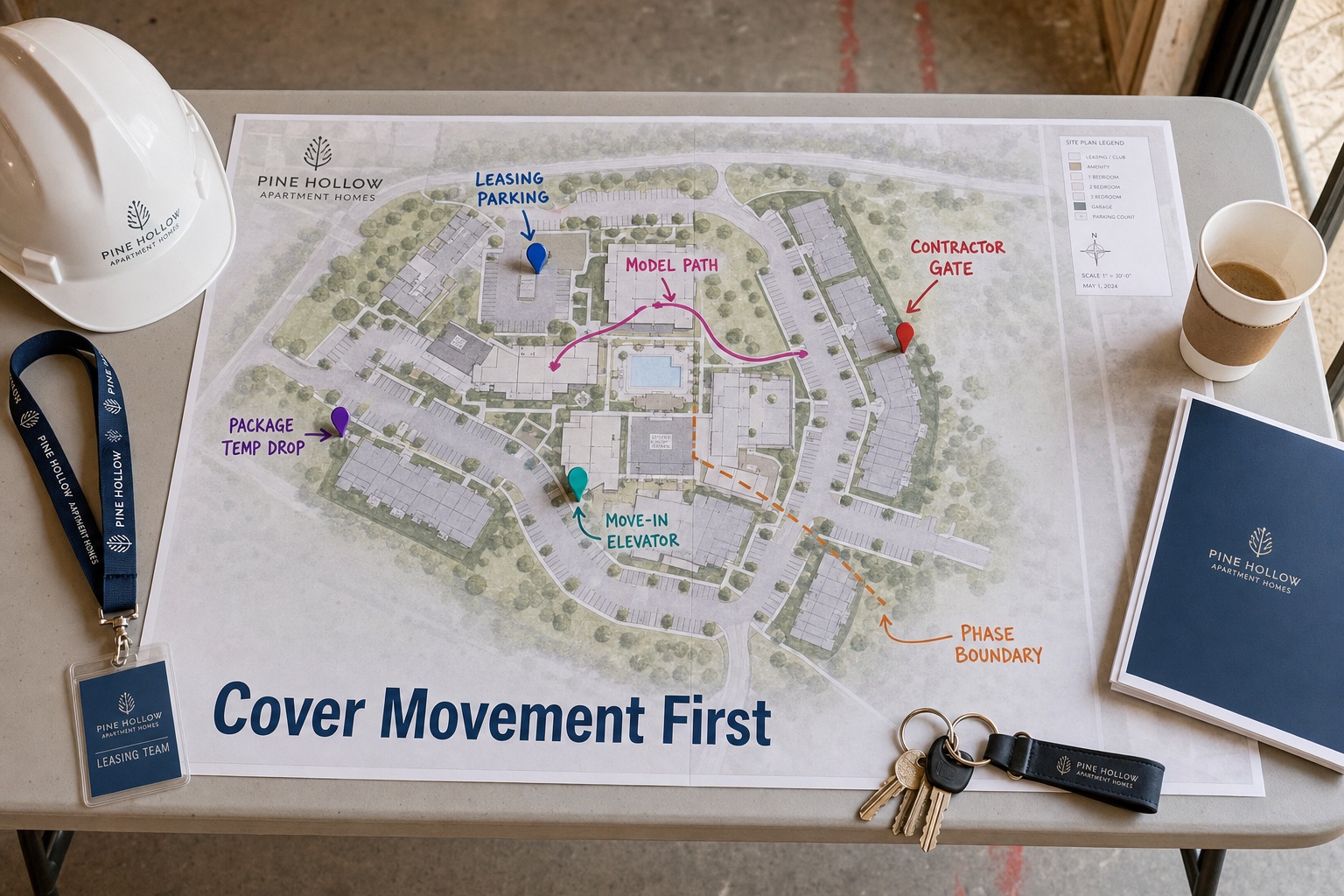
- Main vehicle entrance from the street.
- Leasing office parking and visitor arrival route.
- Pedestrian path from leasing office to model unit.
- Contractor entrance or construction access gate.
- Move-in loading route and elevator access.
- Boundary between occupied and unfinished phases.
- Amenity entries, pool gates, fitness center doors, and clubhouse access.
- Package room, mail area, or temporary parcel staging point.
- Open parking areas, garages, carports, and EV charging areas.
- Material, appliance, equipment, and landscaping staging zones.
Once movement is mapped, camera placement becomes more strategic. The goal is not to see every square foot. The goal is to capture the activity that explains who entered, where they went, what they approached, and how they left.
Priority Camera Locations During Apartment Lease-Up
Every apartment community is different, but most lease-up properties share a similar risk pattern. Review the following zones first when planning temporary security cameras for apartment lease-up.
| Priority zone | Why it matters | Placement note |
| Main entrance and exit lanes | Captures vehicles and visitors before they reach the interior of the property. | Show approach direction, vehicle movement, and the relationship to leasing signage. |
| Leasing office and visitor parking | Prospects, vendors, staff, contractors, and residents often converge here. | Cover arrival routes, door approaches, and exterior walkways. |
| Model unit path | Staged units may contain furniture, electronics, appliances, and decor. | Focus on exterior approaches, corridors, breezeways, stairs, and nearby parking. |
| Amenity entrances | Pools, clubhouses, gyms, and dog parks may open before the full community is occupied. | Cover gates, doors, equipment rooms, and after-hours approach routes. |
| Package and delivery staging | Lease-up deliveries may include parcels, appliances, hardware, and vendor materials. | Show the drop point, access door, cart path, and temporary staging area. |
| Move-in loading and elevators | Move-ins create unusual traffic with trucks, movers, residents, and vendors. | Capture loading zones, elevator access, garage entries, and damage-prone routes. |
| Contractor gates | Construction may continue while residents begin arriving. | Document who enters, when they enter, and whether they move into resident-facing areas. |
| Staging and storage areas | Appliances, copper, HVAC parts, tools, outdoor furniture, and landscaping materials remain exposed. | Cover both the assets and the route someone would use to remove them. |
| Parking lots and garages | Finished parking can be active before resident patterns are stable. | Prioritize poor lighting, blind corners, garages, carports, and EV areas. |
| Phase boundaries | Temporary fencing and unfinished edges create informal paths. | Watch transition points between occupied and unfinished areas. |
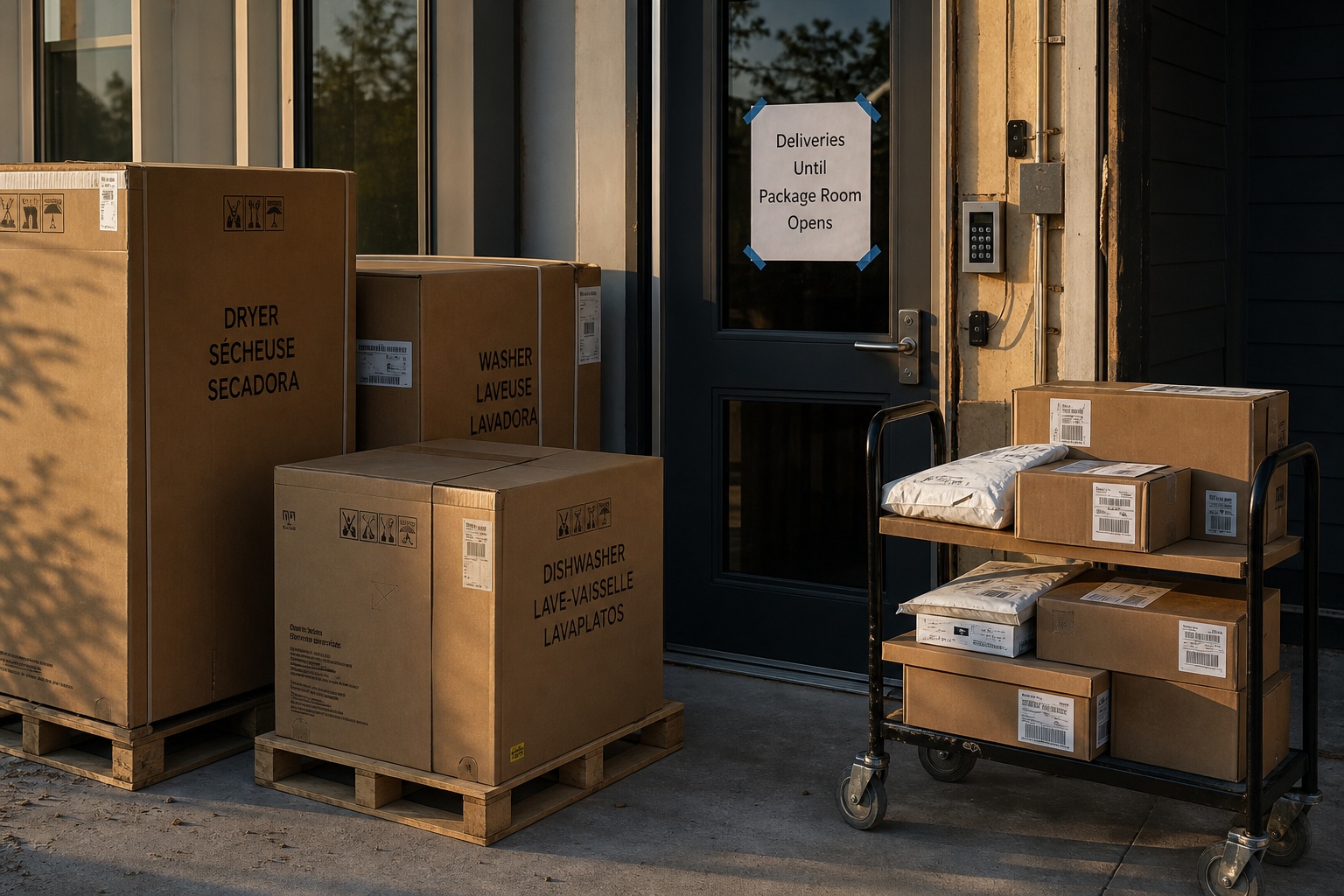
Package rooms, mail areas, and delivery staging
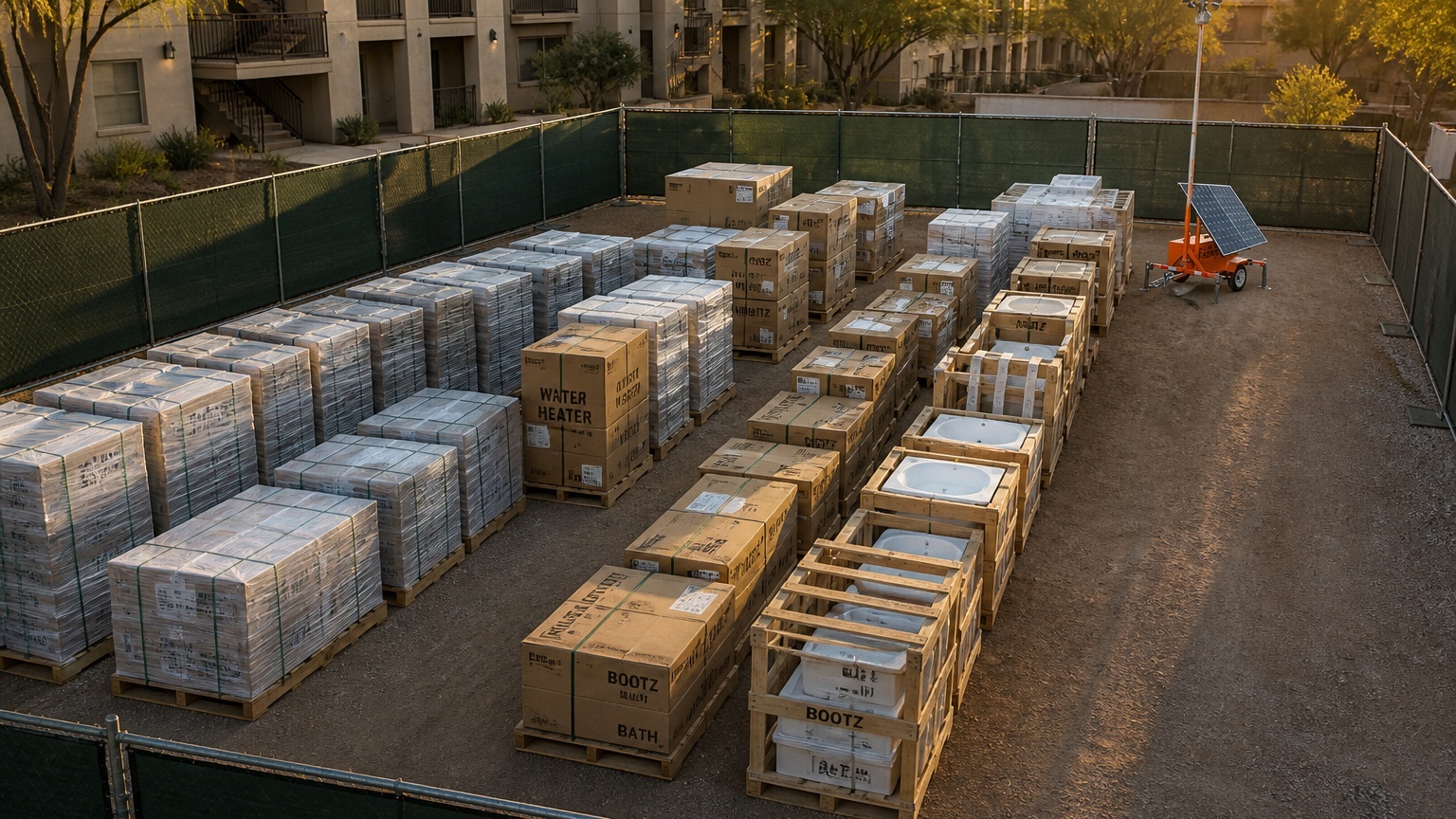
Package rooms can become active before resident routines are fully established. During lease-up, deliveries may include resident parcels, leasing office supplies, appliances, fixtures, smart-home hardware, and vendor materials. If the permanent package system is not fully active, temporary cameras should cover the temporary delivery drop point, package room door, mail kiosk area, and any corridor where packages are staged before distribution.
Adjust Camera Placement as Buildings Open
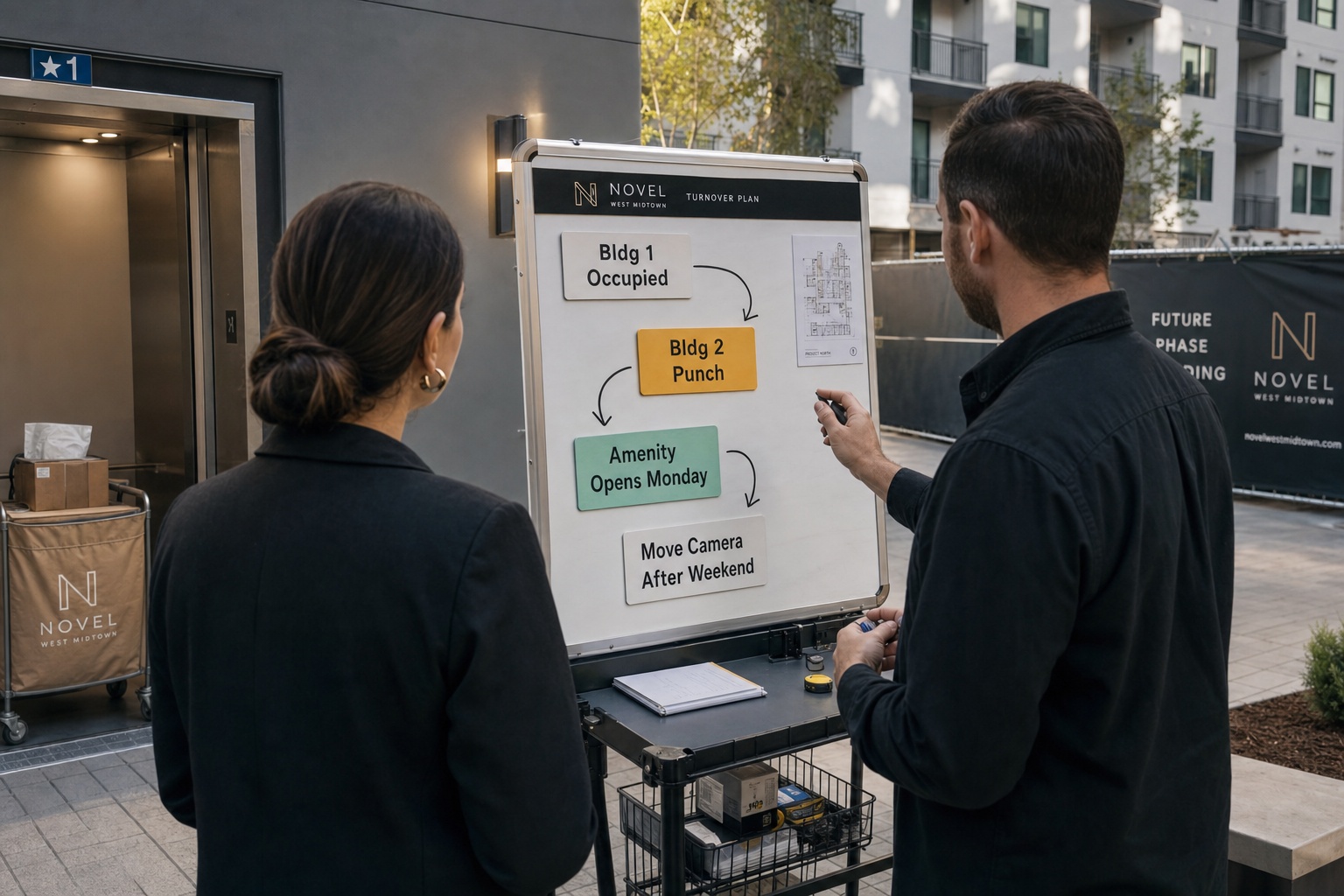
A lease-up camera plan should not be static. The best placement in week one may be the wrong placement by week six.
As buildings open, the priority shifts. Early coverage may focus on construction access, model units, and material staging. Later coverage may move toward occupied building entries, package areas, move-in routes, amenities, and parking.
| Lease-up phase | Coverage focus | Review trigger |
| Phase 1 | Leasing office, model route, main entrance, and active construction boundary. | Before public tours or first leasing push. |
| Phase 2 | First resident move-in routes, occupied building entries, elevators, and package areas. | Before the first move-in weekend. |
| Phase 3 | Amenities, parking, garages, delivery areas, and remaining unfinished buildings. | Before amenity opening or next CO milestone. |
| Phase 4 | Temporary gap coverage while permanent cameras, gates, lighting, and staffing settle. | After permanent systems are tested and active. |
For properties changing quickly, a mobile surveillance trailer rental can help reposition coverage as the property layout changes. That flexibility matters when the property opens by building, floor, amenity, or construction phase.
Review placement after every turnover milestone
Each certificate of occupancy, building handoff, amenity opening, or move-in weekend should trigger a quick camera review. Ask what changed, what is now exposed, what is no longer a priority, and whether the monitoring schedule needs to be updated.
What Temporary Cameras Need to Do Beyond Recording
Recording footage is useful, but lease-up security often requires response. If someone enters a gated construction boundary at 2:00 a.m., reviewing video the next morning may be too late to prevent damage, theft, or resident concern.
Jobsite Sentry combines AI detection with live human monitoring. When suspicious activity is detected during monitored hours, the event can be reviewed in real time. Operators can verify whether the activity appears legitimate, issue audio warnings when appropriate, notify designated contacts, and escalate according to the agreed response protocol.
| Step | What happens | Why it matters |
| Detect | AI or analytics flag people, vehicles, or activity inside a monitored zone. | The system focuses attention on activity during approved monitoring windows. |
| Verify | A trained operator reviews the live scene and checks the site instructions. | Authorized cleaners, vendors, and maintenance staff can be handled differently from suspicious activity. |
| Deter | The operator can issue an audio warning when appropriate. | A live warning may interrupt activity before it becomes a larger incident. |
| Escalate | The operator follows the written protocol for property contacts or law enforcement. | The response is based on verified circumstances, not a generic alert. |
| Document | Relevant clips, timestamps, views, warnings, and notes can be retained. | The team has a clearer record for owners, police reports, insurance, or internal review. |
Authorized users may also need live view, playback, PTZ controls, two-way audio, multi-camera views, and clip export. The Jobsite Command Center supports those operational needs without turning the leasing team into an overnight security desk.
Power, Internet, and Deployment Considerations
Many apartment communities are not fully infrastructure-ready during lease-up. Temporary camera planning should account for power availability, network service, lighting, mounting options, terrain, solar exposure, and future relocation. For locations without reliable wired internet or cellular coverage, Starlink remote security may be appropriate after a site-specific review.
Deployment timing depends on location, site conditions, equipment availability, and project scope. For lease-up teams with a fixed opening date, it is best to schedule a site survey before the first resident move-in weekend or public leasing push.
| Planning item | Question to ask | Why it matters |
| Power | Is there reliable power where the camera should actually sit? | The best security position is not always near a finished outlet. |
| Connectivity | Will cellular or satellite connectivity work at the proposed location? | Live monitoring depends on a stable communications path. |
| Lighting | Will the camera see the approach route clearly after dark? | Poor lighting, glare, and shadows can reduce useful detail. |
| Line of sight | Will trees, fences, dumpsters, parked cars, balconies, or signs block the view? | Lease-up sites change quickly and new obstructions appear often. |
| Relocation | Can the unit be moved safely as phases open? | Camera placement should move with the risk profile. |
A Practical Site Walk Sequence for Leasing Teams
Use this sequence before the first public leasing push, before the first resident move-in weekend, and after each major turnover milestone.
- Walk the property at the same time of day when risk is highest, usually after hours or near dusk.
- Mark the main entrance, leasing parking, model route, amenity entries, package areas, move-in routes, and contractor gates.
- Identify areas where permanent cameras, lighting, access control, or network service are not yet active.
- Prioritize views that capture approaches and exits, not only doors or assets.
- Define monitoring hours for nights, weekends, holidays, shutdowns, and move-in periods.
- Decide who receives alerts, access, clips, and incident documentation.
- Schedule camera relocation reviews after each building turnover or major move-in weekend.
Who should be involved in the placement walk
Include the property manager, leasing lead, construction superintendent or turnover manager, maintenance lead, owner representative, and security provider. Leasing teams understand prospect routes. Construction teams understand access points. Maintenance teams understand lighting, locks, and utility limits.
What to bring to the site walk
Bring the latest site plan, building turnover schedule, leasing tour route, move-in calendar, vendor access list, lighting plan, access-control plan, and any known incident history. If local risk data is used, verify it through current local law enforcement or municipal resources before publication or formal reporting.
How Jobsite Sentry Helps Protect Apartment Communities During Lease-Up
Jobsite Sentry supports temporary site security for multifamily lease-up environments with mobile surveillance trailers, solar-powered AI camera units, live human monitoring, Starlink connectivity options, and remote access. For broader multifamily coverage, see multifamily security cameras.
- Temporary coverage for leasing offices, model unit routes, amenities, parking, and move-in zones.
- Monitoring for construction access gates, material staging, and unfinished phases.
- AI detection supported by live operator review.
- Audio warnings when appropriate.
- Escalation to property contacts or law enforcement when the approved protocol calls for it.
- Remote access to live and recorded video through the Jobsite Command Center.
- Video clip export for incident documentation.
- Flexible monitoring schedules for nights, weekends, holidays, and shutdown periods.
The objective is simple: help leasing teams and developers protect the community during the period when visibility, infrastructure, and access control are still catching up to occupancy.
People Also Ask
Where should security cameras be placed at an apartment community during lease-up?
Place cameras at the main entrance, leasing office, visitor parking, model unit path, amenity entrances, package areas, move-in loading zones, contractor gates, material staging areas, parking lots, garages, and phase boundaries. Focus on routes and decision points where people and vehicles enter, turn, stop, or move between public, resident, and construction areas.
Do temporary security cameras need power or internet?
Not always. A temporary camera system may use solar power, battery reserve, cellular connectivity, or satellite connectivity depending on the site. Live remote monitoring still requires a working communications path.
Can temporary cameras be moved during lease-up?
Yes. Temporary cameras should be moved as the community changes. Coverage may begin around construction access, model units, and staging areas, then shift toward occupied building entries, package areas, amenities, parking, and move-in zones as residents arrive.
What happens when a monitored camera detects suspicious activity after hours?
During monitored hours, AI detection can alert trained operators. The operator reviews the activity, verifies whether it appears suspicious, issues an audio warning when appropriate, notifies the designated property contact, and escalates according to the agreed protocol.
Are temporary cameras better than hiring an on-site security guard for lease-up?
Temporary monitored cameras and guards solve different problems. Guards provide physical presence, while live monitored cameras can watch multiple priority zones, document incidents, issue remote audio warnings, and support after-hours response.
Download the Apartment Lease-Up Temporary Camera Placement Checklist
Use this checklist to review entrance coverage, model unit routes, move-in zones, amenity access, package areas, contractor gates, staging areas, monitoring hours, and camera relocation points before residents arrive.
Frequently Asked Questions
Q: How early should an apartment community plan temporary camera placement before lease-up?
A: Start before the leasing office opens to the public or before the first resident move-in weekend. Earlier planning gives the team time to review site access, power limitations, connectivity, camera sight lines, monitoring hours, and relocation points.
Q: Should cameras monitor occupied units?
A: Temporary cameras should be placed with privacy and legal requirements in mind. In most cases, lease-up camera placement should focus on exterior approaches, shared access points, parking, amenities, package areas, and construction boundaries rather than private residential interiors.
Q: Can monitoring hours be customized?
A: Yes. Monitoring can be aligned with the risk schedule, including nights, weekends, holidays, weather shutdowns, move-in periods, or times when staff and contractors are not present.
Q: Can leasing teams access camera footage from a phone?
A: Jobsite Sentry offers mobile app and command center access for live viewing, playback, PTZ controls, two-way audio, multi-camera views, and video export depending on the system configuration.
Q: What should be reviewed after each lease-up phase?
A: Review which buildings are occupied, which access points changed, whether packages or amenities are active, whether construction areas moved, whether lighting improved or worsened, and whether cameras need to be relocated.
Q: What are the biggest blind spots during lease-up?
A: Common blind spots include contractor gates, temporary delivery drops, model unit paths, garage corners, phase boundaries, unfinished amenities, and areas where permanent lighting or cameras are not yet active.
Q: Can temporary cameras help with move-in damage disputes?
A: They can help document vehicle movement, loading activity, elevator access, and after-hours activity around move-in routes. The exact usefulness depends on camera angle, footage quality, retention settings, and the incident details.
Q: Do apartment lease-up cameras need to be obvious?
A: Visible cameras and signage can support deterrence, but placement should still be practical. A highly visible camera that misses the actual approach route is less useful than a well-positioned view that captures movement and context.
Q: Should cameras cover package rooms before the permanent system is active?
A: Yes, if packages, appliances, leasing supplies, or resident deliveries are being staged before the permanent package system is ready. Cover the drop point, access route, and door approach.
Q: What should be included in the monitoring instructions?
A: Include authorized work hours, vendor exceptions, contact order, audio warning rules, law-enforcement escalation rules, privacy-sensitive zones, and the process for exporting clips after an incident.
Image Placement and Alt Text
| Image | Placement | Alt text |
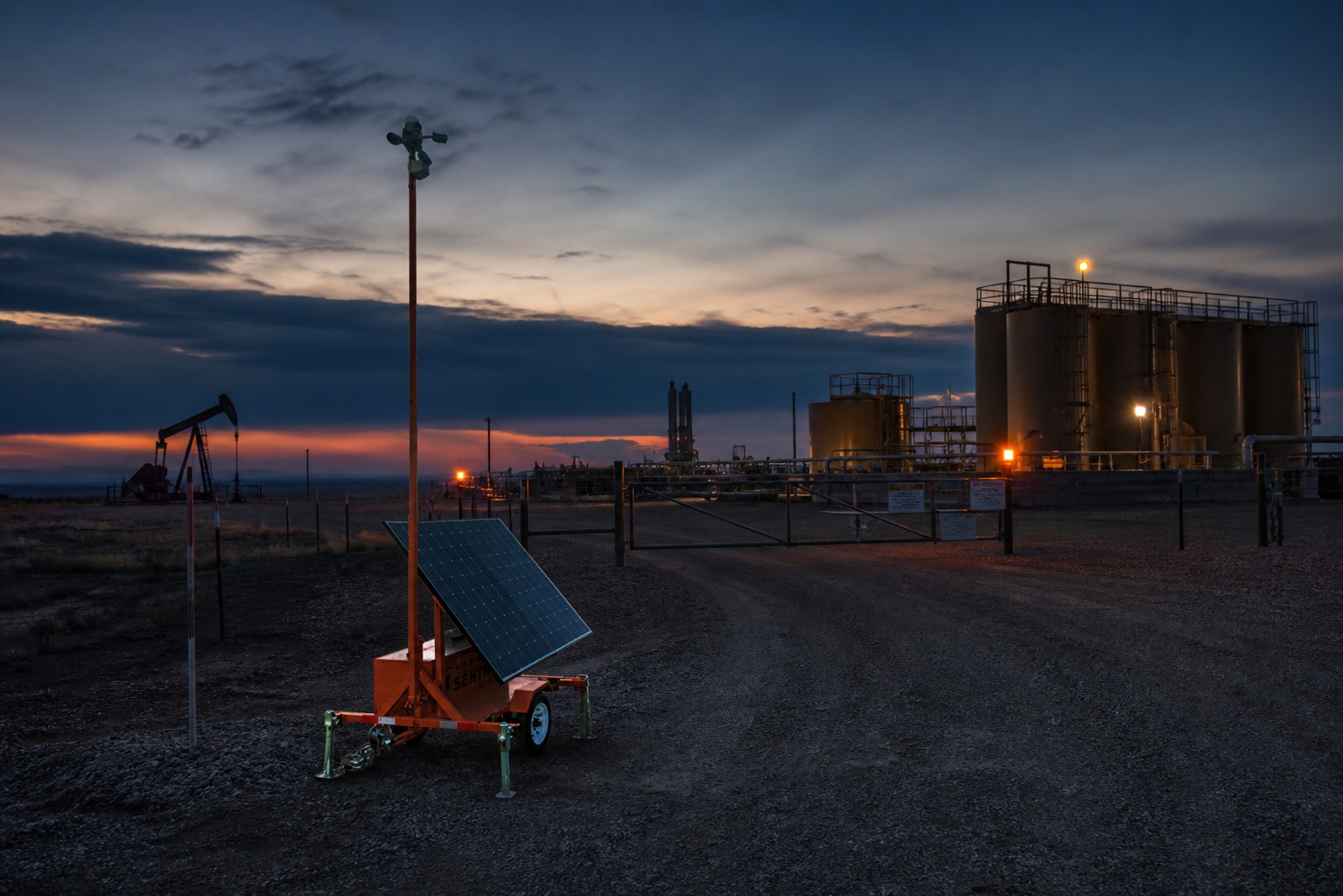
| Image 1 | After the introduction, before the Quick answer box | Temporary security camera unit supporting apartment lease-up planning near a new leasing office and model unit route. |
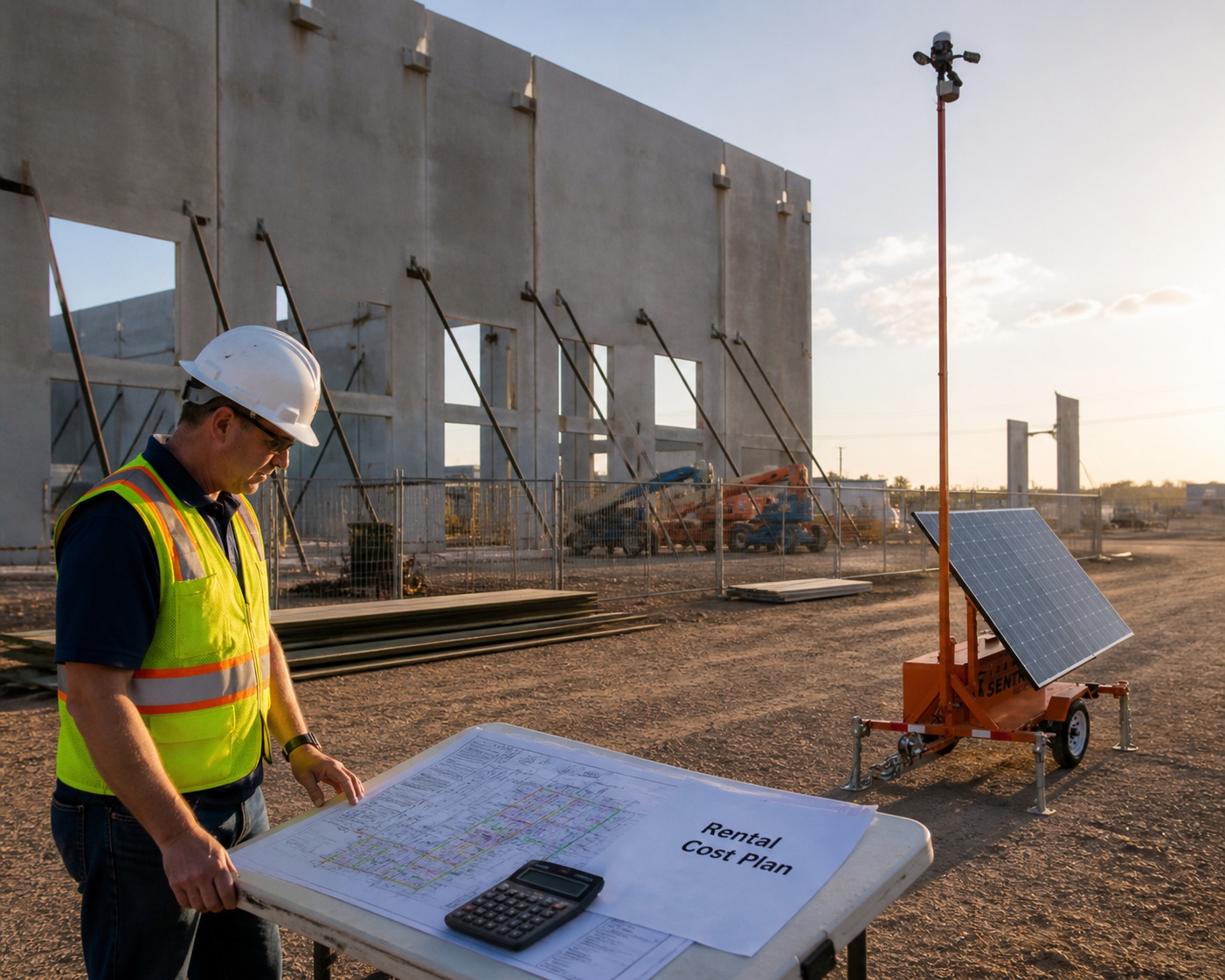
| Image 2 | After the movement planning section | Marked apartment lease-up site plan showing temporary camera priorities for gates, model unit route, amenities, parking, and staging areas. |
| Image 3 | After the package room and delivery staging subsection | Temporary apartment lease-up delivery area with appliances, package carts, and camera coverage planning near a service entrance. |
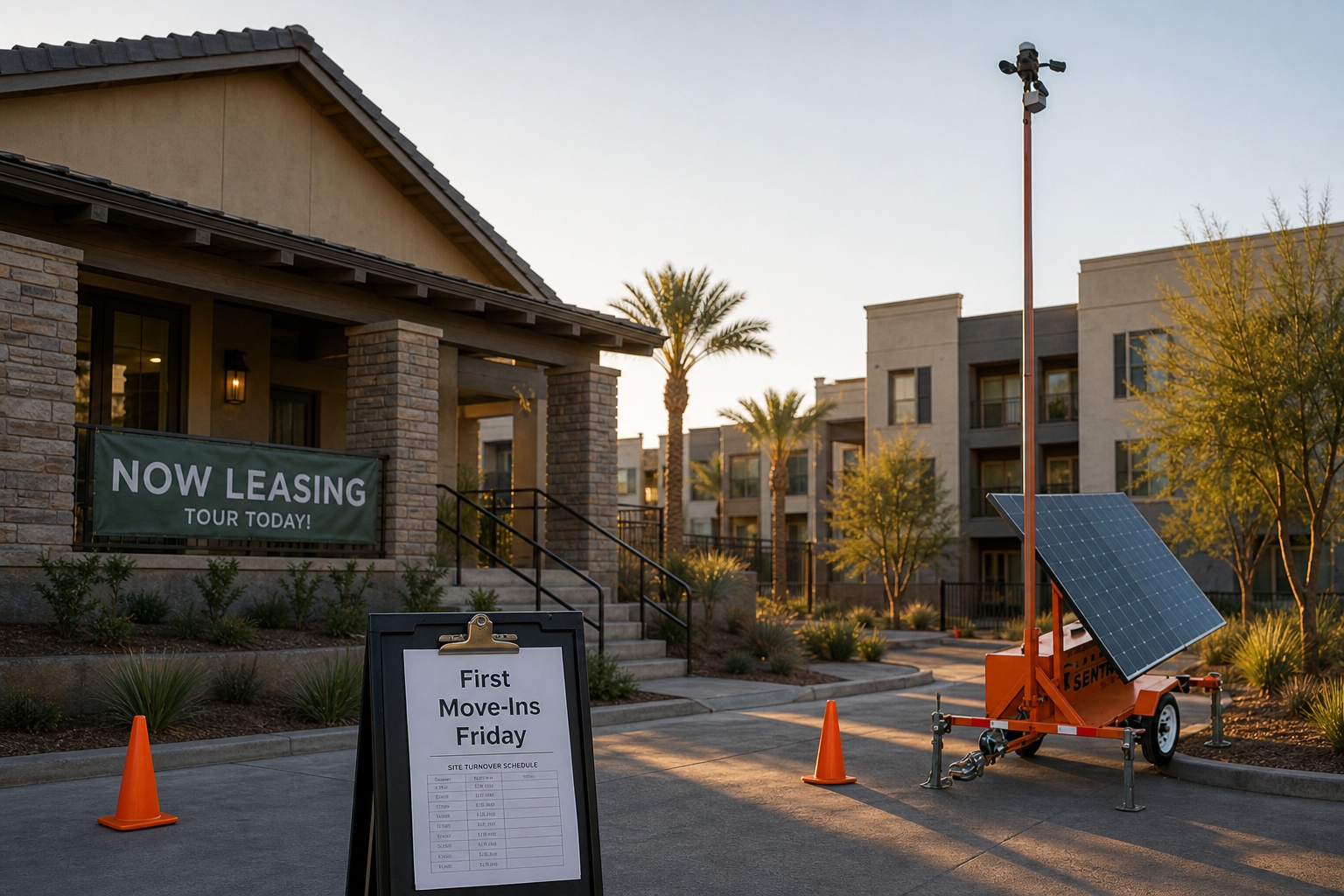
| Image 4 | After the camera relocation and phased opening section | Apartment lease-up team reviewing phased turnover board and temporary camera relocation points in the field. |
Conclusion: Place Cameras Where Lease-Up Risk Actually Moves
The right temporary camera plan protects more than property. It supports leasing confidence, resident experience, construction turnover, vendor accountability, and after-hours response during one of the most dynamic periods in a multifamily community’s lifecycle.
For apartment lease-up, camera placement should follow movement, access, and changing risk. Start with entrances, model routes, amenities, packages, move-in zones, contractor gates, staging areas, parking, and phase boundaries. Then adjust the plan as buildings open and residents arrive.
Jobsite Sentry helps multifamily teams bridge the gap between construction security and stabilized property operations with solar-powered mobile surveillance, AI detection, live human monitoring, flexible deployment, and remote access for the teams responsible for keeping lease-up on track.
| SCHEDULE A LEASE-UP SECURITY ASSESSMENT WITH JOBSITE SENTRY Preparing a new or renovated apartment community for occupancy? Jobsite Sentry can help map temporary camera coverage, monitoring schedules, power and connectivity needs, and relocation points for each phase of lease-up. |
Related Jobsite Sentry Resources
- Mobile surveillance trailer rental
- Security camera trailer rental
- Multifamily security cameras
- Starlink remote security for sites without reliable cellular coverage
- Jobsite Command Center camera access
- How to secure a vacant multifamily property during renovation or lease-up
- Mobile surveillance trailers for vacant properties
- Solar-powered security cameras without power or internet
Source References
- Jobsite Sentry official website: https://jobsitesentry.com/
- Jobsite Sentry: Mobile Surveillance Trailer Rental: https://jobsitesentry.com/mobile-surveillance-trailer/
- Jobsite Sentry: Multifamily Security Cameras: https://jobsitesentry.com/industries/multi-family-residential-security/
- Jobsite Sentry: Starlink Remote Security: https://jobsitesentry.com/starlink-remote-security
- Jobsite Sentry: Jobsite Command Center Camera Access: https://jobsitesentry.com/features/camera-units/
- Jobsite Sentry: Contact Us: https://jobsitesentry.com/contact-us/
- Project-specific turnover schedule, access-control plan, lighting plan, and leasing tour route should be reviewed during the camera placement assessment.
- Local law enforcement crime mapping or property crime reports should be reviewed for site-specific planning only if available and verified before publication.